

By default, the From Email address or Sender Email address cannot be changed in Ninja Forms. However, there is an option to change From email address easily.
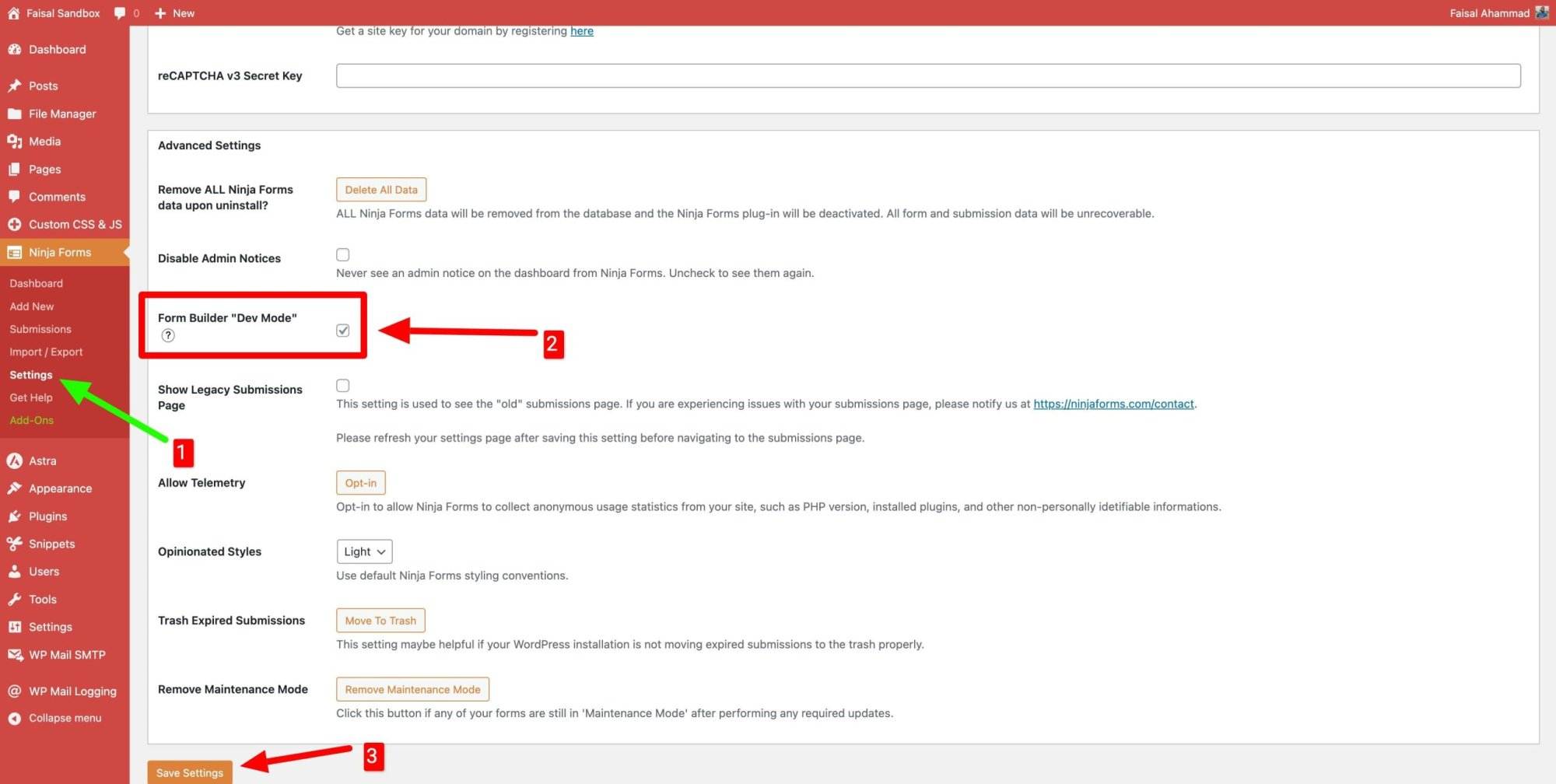
First, go to Ninja Forms → Settings → Advanced Settings and enable “Dev Mode” as shown in the screenshot below.
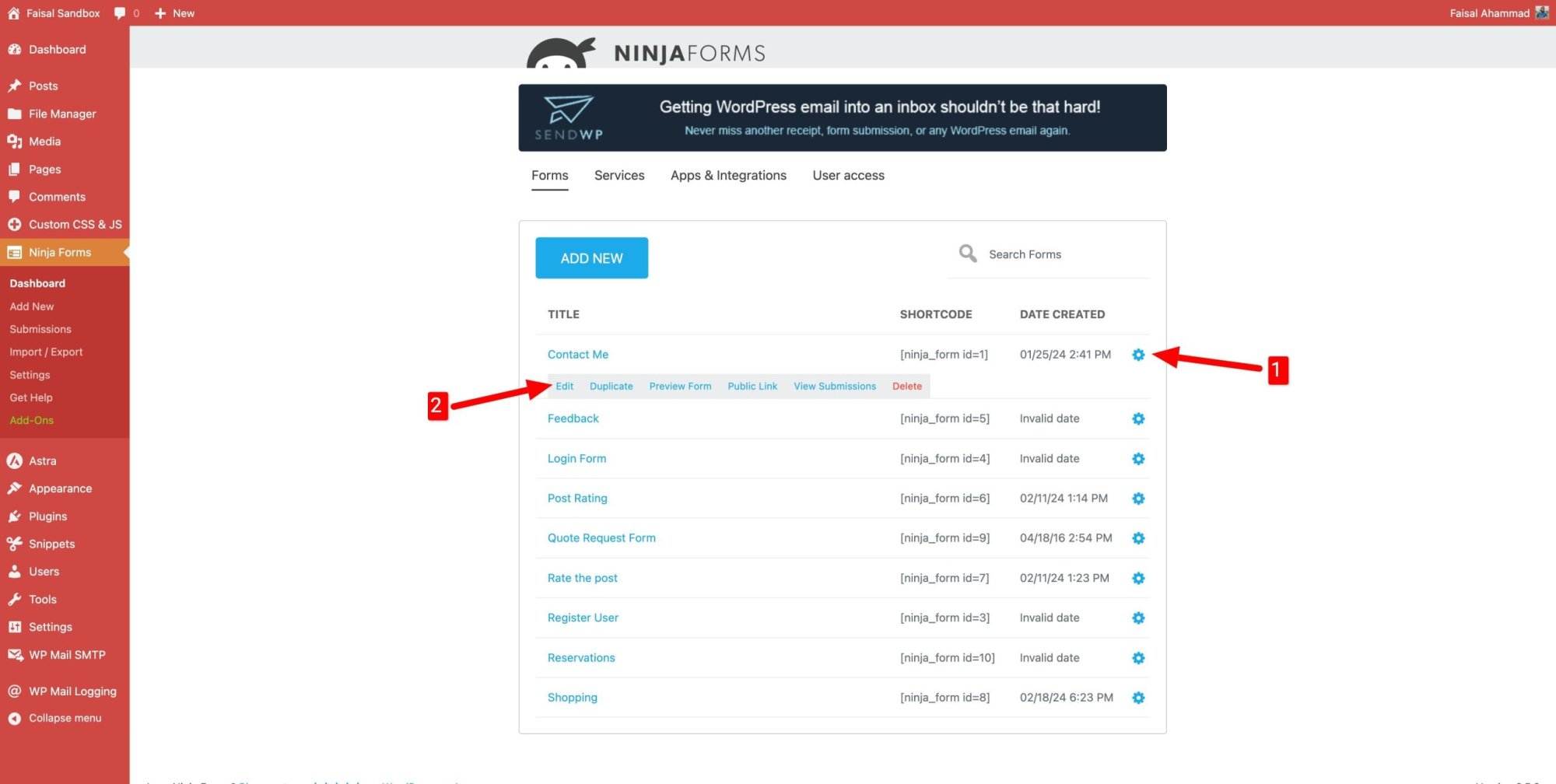
Now, return to Ninja Forms → Dashboard, click on the Gear icon of any existing form, and then click Edit.
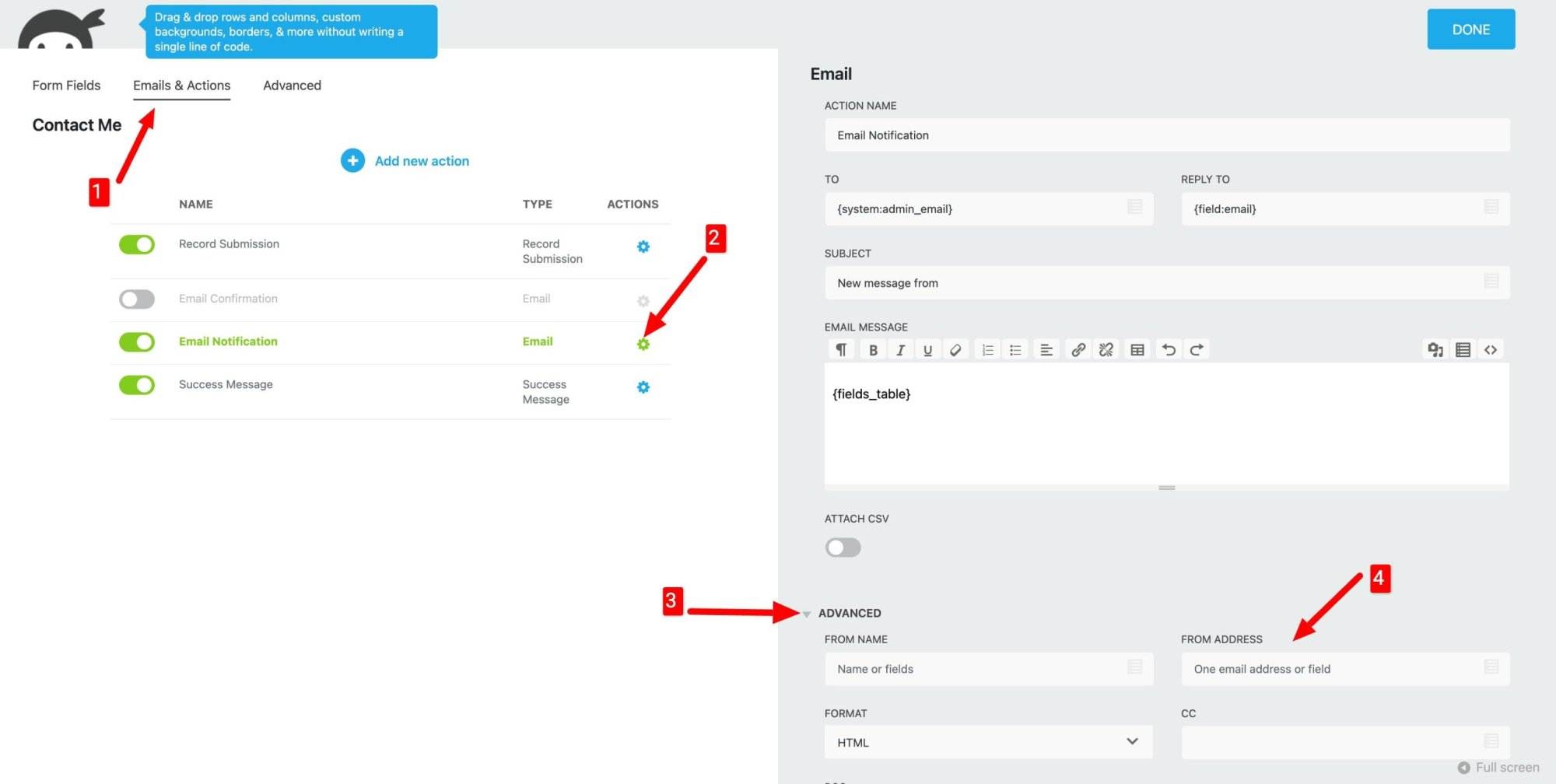
Inside the form, click on “Emails & Actions” at the top. Then, click on the Gear icon of the Email Notification and go to the Advanced form pop-up on the right side. You will see the “FROM ADDRESS” option where you can add your new Form or Sender email address.
Before adding a new email address, ensure that the email address is associated with your website domain. Therefore, if your domain is johndoe.com, the email should be [email protected]. Otherwise, the web server won’t be able to send the email.
There is another way to change the From email address using the SMTP plugin. For more details about the process, please watch the YouTube video tutorial below.










Leave a Reply