

You may be aware that the placeholder text for the default Date/Time field is not working on the front end of Ninja Forms. However, it is sometimes necessary to have it.
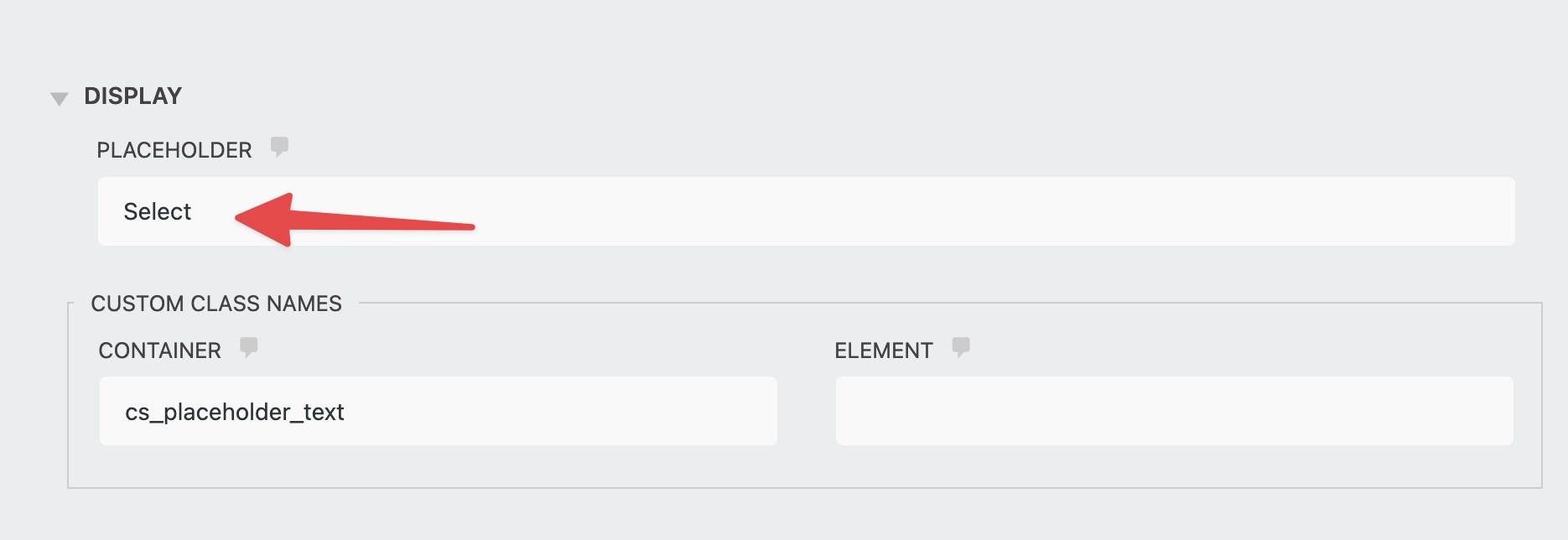
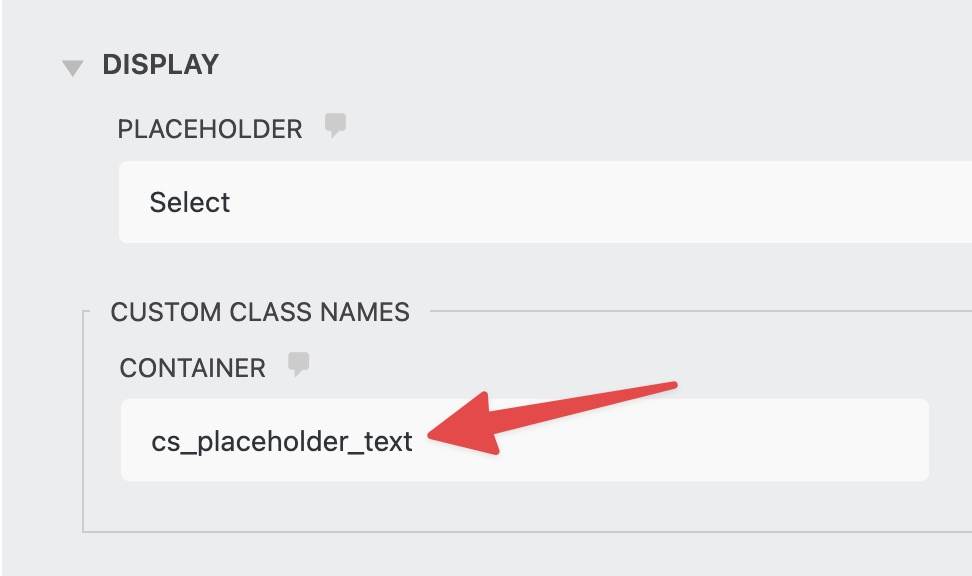
To add the placeholder, add a custom CSS class like “cs_placeholder_text” as shown in the screenshot below.
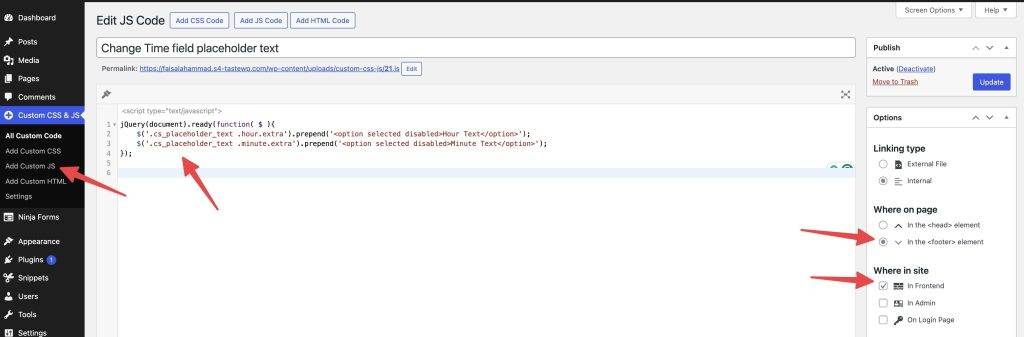
Now add the following jQuery code to your child theme JavaScript file or try the Simple Custom CSS and JS plugin. Make sure to have the settings similar to the screenshot below.
jQuery(document).ready(function($) {
    function addPlaceholders() {
        $('.cs_placeholder_text .hour.extra').prepend('<option selected disabled>Hour Text</option>');
        $('.cs_placeholder_text .minute.extra').prepend('<option selected disabled>Minute Text</option>');
    }

    if ($('.cs_placeholder_text').length) {
        addPlaceholders();
    } else {
        const observer = new MutationObserver(function(mutations, obs) {
            if ($('.cs_placeholder_text').length) {
                addPlaceholders();
                obs.disconnect();
            }
        });

        observer.observe(document.body, {
            childList: true,
            subtree: true
        });
    }
});
After that, if you check the front end, you will find that both placeholder texts have been added as the first option in both Date/Time input fields of Ninja Forms.
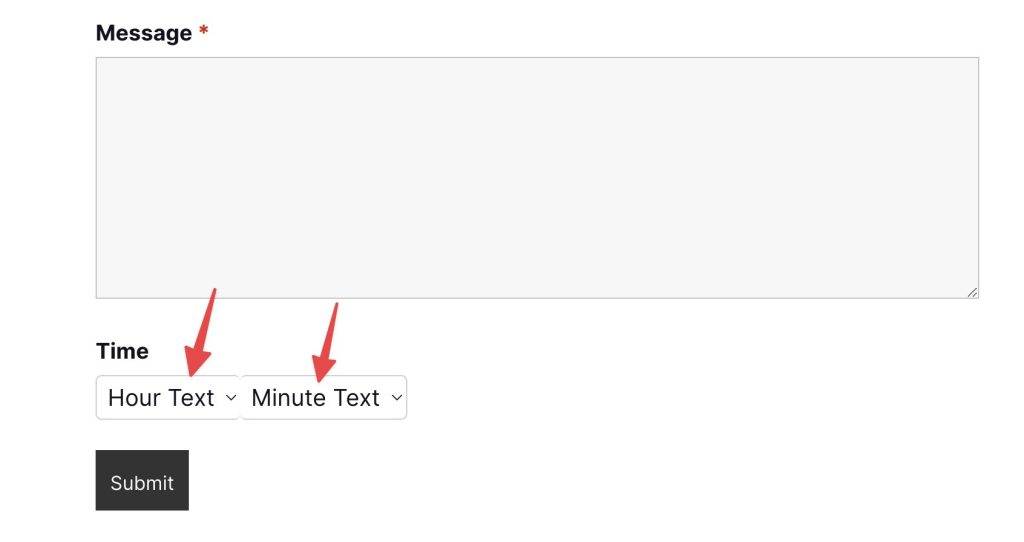
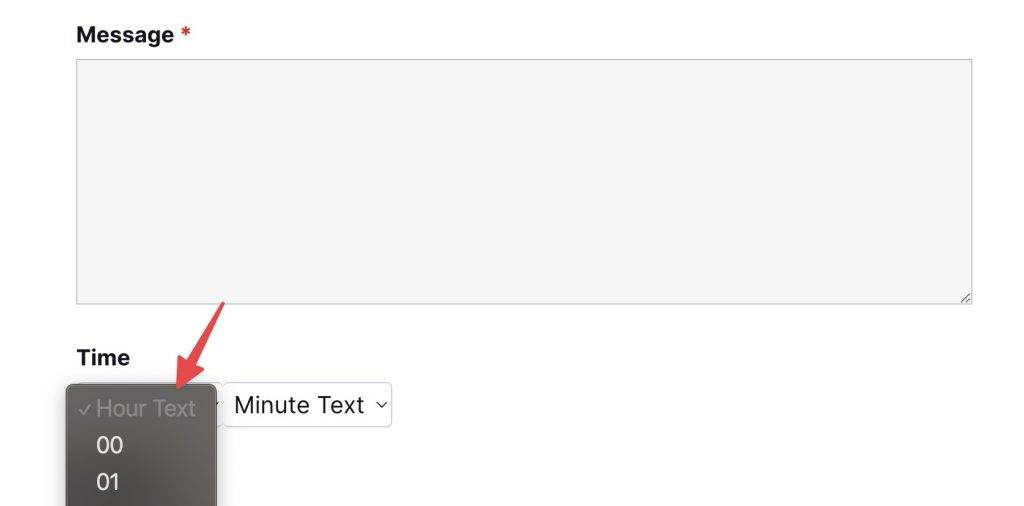
I added the “selected” and “disabled” attributes to the option field. This ensures that the new placeholder option is selected and disabled by default. Visitors will now have to choose a valid hour and minutes from the Date/Time field.
<option selected disabled>Hour Text</option>










Leave a Reply